Click on the tabs of the screen image below to see help for that specific page.
Starting UOAssist
You must start UOAssist before UO. To do this use the shortcut made for you when you installed UOAssist (it is under the start menu | Programs | UOAssist). When UOAssist is launched it will start UO for you. After it comes up you should see a screen like this (this screen shot is out of date):
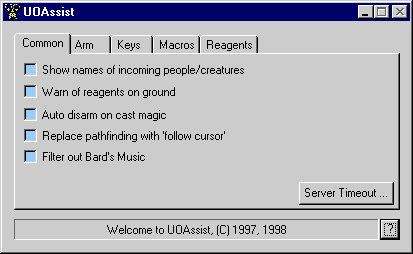
If you don't see it try looking behind the main UO window.
Press your browsers Back button to return to the steps.